In a previous post I outlined the steps to view java source code in eclipse.
I have since found a much easier way to do this.
Requirements:
- Eclipse Standard – https://www.eclipse.org/downloads/index.php
- Java SE Development Kit for Linux – http://www.oracle.com/technetwork/java/javase/downloads/index.html
Steps:
- Open eclipse
- Create a new java project
- Expand your project, next expand your JRE System Library
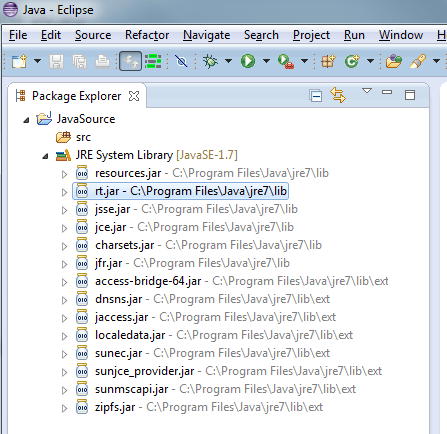
- Right click on rt.jar > Properties > Java Source Attachment > External Location
- Select External File…
- Browse to your jdk installation, locate src.zip
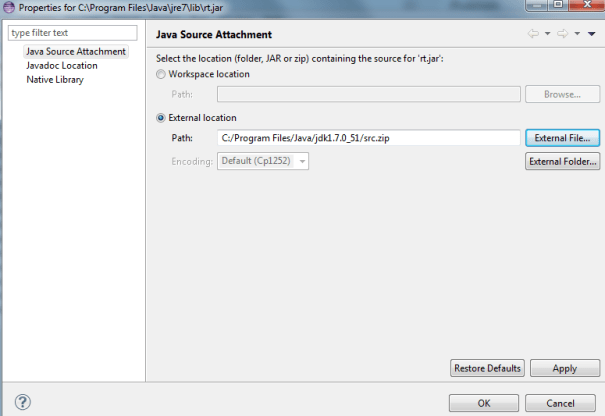
- Click OK
- Expand the rt.jar
- View Source


 Abraham Farris
[…] UPDATE: View Java Source In Eclipse for Windows – The Easy Way […]